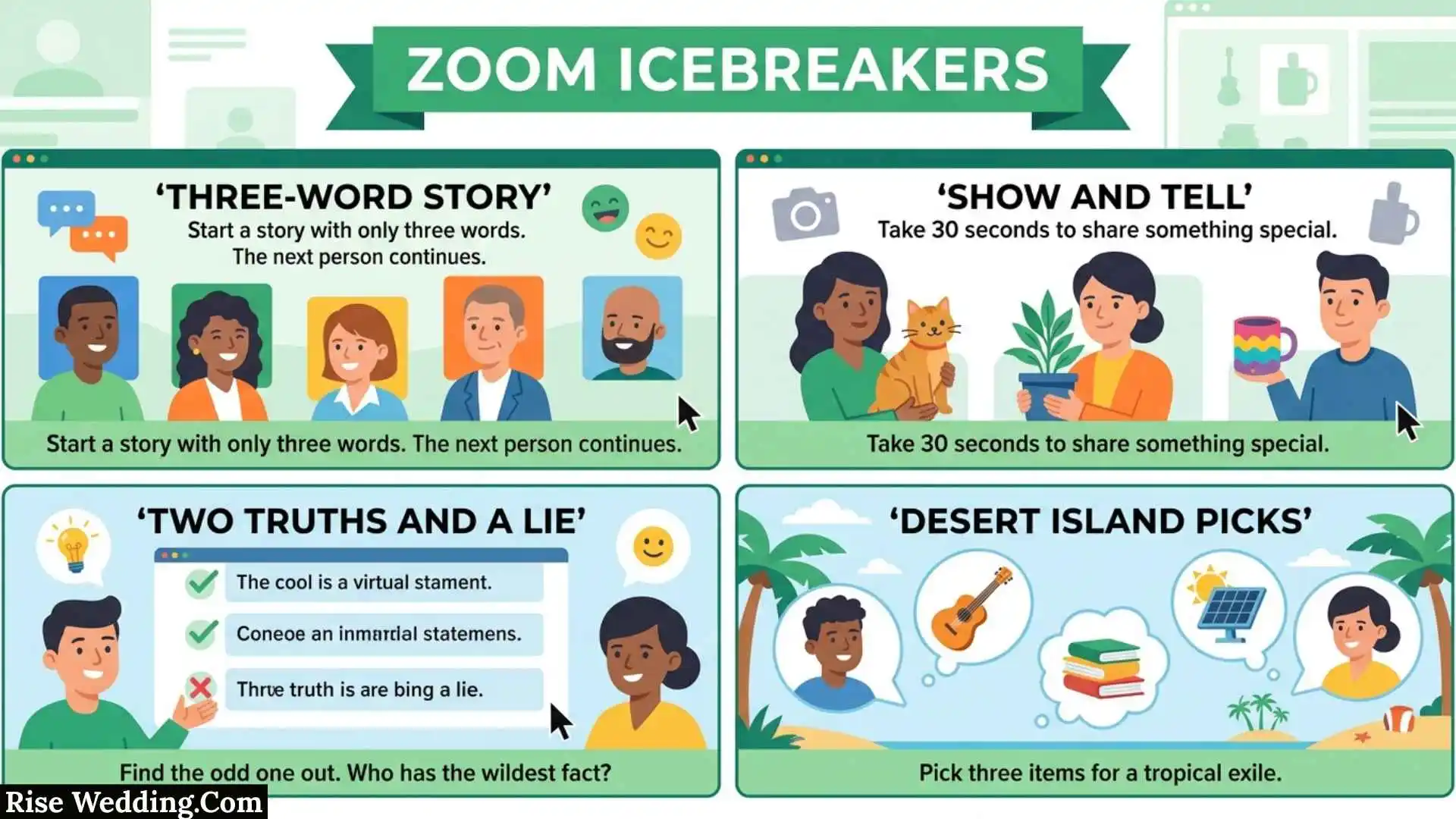
If you need Zoom icebreakers for a work meeting, online class, team session, workshop, or virtual gathering, the best activity is one that gets people interacting without making the meeting feel forced. A good icebreaker should match the group’s size, relationship, available time, and purpose.
This guide gives you ready-to-use questions and activities, plus a practical way to choose between chat prompts, polls, games, and breakout rooms. You’ll also learn how to make virtual activities less awkward, what mistakes to avoid, and how to connect an icebreaker naturally to the main meeting.
Quick Answer: What Are Zoom Icebreakers?
Zoom icebreakers are short questions, games, polls, or interactive activities used during online meetings to help participants start talking, feel more comfortable, and build connections.
They can be as simple as asking everyone to answer one question in the chat or as interactive as putting participants into breakout rooms for a short discussion. Zoom’s current Whiteboard activities include icebreakers, polls, quick votes, matching games, and word clouds, allowing participants to respond during a live session.
The most effective choice depends on the situation. A five-minute team meeting may need a one-question chat prompt, while a new class may benefit more from a small-group discussion.
Key Takeaways
- Choose the activity according to the group, time, and purpose.
- Use chat or reactions when you need fast participation.
- Use polls when you want everyone to respond at once.
- Use breakout rooms when the goal is conversation rather than a quick answer.
- Keep questions comfortable and avoid unnecessary personal disclosure.
- Give clear instructions before starting a breakout activity.
- Connect the activity to the meeting whenever possible.
- You do not need a complicated game to make a virtual meeting more engaging.
- The best icebreaker is the one that makes participation easier, not the one that takes the most time.
Why Do Zoom Icebreakers Matter in Virtual Meetings?
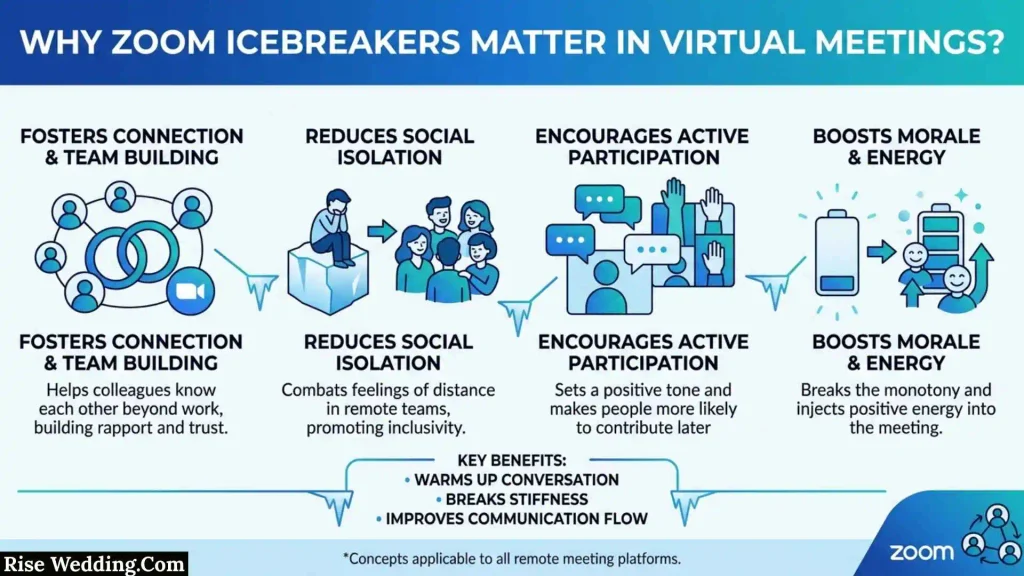
Starting an online meeting can feel different from entering a physical room. Participants may join at different times, keep microphones muted, and wait for someone else to speak first.
A short interaction gives people an immediate reason to participate.
For online teaching, Vanderbilt University recommends icebreaker-style activities to help reduce awkward silence, encourage participation, and help students connect with one another.
The same basic principle can work in professional meetings and community groups: give people a low-pressure starting point before asking them to collaborate.
What Can an Icebreaker Accomplish?
A well-chosen activity can help you:
- Introducing people who I have never met.
- Reconnect an existing team.
- Encourage quieter participants to contribute.
- Create energy at the beginning of a session.
- Prepare students for a lesson.
- Start a workshop discussion.
- Help participants discover common interests.
- Transition naturally into the main topic.
The important part is purpose. An icebreaker should support the session rather than become a separate event.
When Is an Icebreaker Not Necessary?
You do not have to use one in every Zoom meeting.
It may be better to skip the activity when:
- The meeting is extremely short.
- Participants already know each other well.
- An urgent issue needs immediate attention.
- The activity would feel unrelated to the meeting.
- Participants are likely to see it as forced.
- A direct question would accomplish the same goal faster.
A skilled host knows when an icebreaker adds value and when it simply uses time.
Hilarious Zoom Icebreakers
Hilarious Zoom icebreakers can turn a quiet video call into a more relaxed and interactive conversation. They work especially well when coworkers, friends, students, or group members are joining from different locations.
Try a “Worst Webcam Background” challenge where participants invent the funniest imaginary background they could use. Another option is “Meeting Superpower,” where everyone chooses a ridiculous superpower that would make online meetings easier.
You can also ask questions such as, “If your internet connection had a personality, what would it be?” or “What would your computer say about you if it could talk?” Keep the humor friendly and avoid jokes that could embarrass individual participants.
Zoom Icebreakers for Adults
Zoom icebreakers for adults should feel natural, respectful, and interesting enough to encourage conversation. Adults often prefer activities that reveal personality without requiring them to share overly personal information.
A simple option is “Three Choices.” Give participants a question with three possible answers and ask them to explain their choice. For example, they might choose between living near the beach, mountains, or a busy city.
Another effective activity is “One Thing I Recommend.” Each person has 30 seconds to recommend a book, movie, food, hobby, travel destination, or useful app. This gives everyone something easy to talk about and often leads to follow-up conversations.
Zoom Icebreakers for Small Groups
Zoom icebreakers for small groups are easier to manage because every participant can have a chance to speak. With fewer people on the call, choose activities that encourage discussion rather than relying only on polls or reactions.
“Common Ground” is a great choice. Give participants a few minutes to discover three things they all have in common. The similarities can be about hobbies, favorite foods, travel experiences, or everyday preferences.
For a more playful option, use “Two Truths and a Lie.” Each person shares three statements about themselves, and everyone else tries to identify the fictional statement. It is simple, requires no special tools, and works well for groups that are meeting for the first time.
Zoom Icebreakers for Virtual Meetings
Zoom icebreakers for virtual meetings should be short enough that they do not interfere with the main agenda. A two-to-five-minute activity can be enough to get people talking before the meeting begins.
Start with a quick check-in question such as, “What is one word that describes your week?” Participants can answer verbally or type their responses into the chat.
For more interaction, use a quick “This or That” round. Ask participants to choose between options such as morning or evening, coffee or tea, office or remote work, or planning or improvising. The host can then invite a few people to explain an unexpected answer.
Zoom Icebreaker Questions
Zoom icebreaker questions are one of the easiest ways to start an online meeting. They require virtually no preparation and can be adapted for coworkers, friends, students, or community groups.
Here are some questions that work well:
- If you could instantly learn one new skill, what would it be?
- What is something you never get tired of talking about?
- What fictional place would you like to visit?
- What is your favorite way to spend a free day?
- If you could have any harmless superpower, what would you choose?
- What is one small thing that always improves your mood?
- What is a hobby you would like to try?
- If you could have dinner with any fictional character, who would you choose?
For professional meetings, choose questions that are comfortable for everyone and avoid topics that may create unnecessary personal or sensitive discussions.
Zoom Icebreakers for Youth Groups
Zoom icebreakers for youth groups should be energetic, simple, and easy to participate in through a screen. Young people generally respond well to activities involving imagination, quick choices, and friendly competition.
Try “Emoji Check-In.” Ask everyone to choose one emoji that represents their current mood and explain their choice in a sentence.
Another option is a virtual scavenger hunt. Give participants 30–60 seconds to find an everyday object that matches a description, such as something blue, something soft, or something they use every day. Everyone can briefly show their item on camera.
For larger youth groups, polls and chat-based challenges can keep participation organized without requiring every person to speak at length.
Zoom Icebreakers for Teens
Zoom icebreakers for teens should avoid feeling like formal classroom exercises. Short games, unusual questions, and creative challenges usually work better because they give teenagers an immediate reason to participate.
“Would You Rather?” is an easy starting point. Use fun choices such as being able to teleport anywhere or pause time for ten minutes. After everyone votes, ask a few participants to explain their answers.
“Guess the Sound” is another option. Play or make a harmless everyday sound and let participants guess what produced it. You can also run a quick drawing challenge using a simple prompt and have everyone show their results on camera.
The best teen icebreakers are quick, low-pressure, and easy to understand.
Zoom Icebreakers for Kids
Zoom icebreakers for kids should be simple, visual, and active enough to hold their attention. Avoid complicated rules and long explanations.
“Show Me Something” is an easy activity. Give children a prompt such as “Find something red” or “Show us your favorite toy,” allowing them a short amount of time to find an appropriate object.
Another fun option is “Animal Guessing.” One child acts like an animal without saying its name while the others try to guess it. You can also use simple movement challenges such as pretending to walk like a penguin or move like a robot.
For younger children, keep each round short and provide clear instructions. Frequent changes between activities can help maintain attention during an online session.
How to Choose the Right Zoom Icebreaker
Before selecting an activity, consider five things: group size, familiarity, available time, purpose, and technology.
| Situation | Better choice | Why |
| 2–5 people | Conversation question | Everyone can speak naturally |
| 6–15 people | Short game | Creates interaction without taking too long |
| Large group | Chat or poll | Many people can participate simultaneously |
| New team | Partner or breakout activity | Helps people learn about one another |
| Online class | Topic-related prompt | Connects the activity to learning |
| Very short meeting | Reaction or chat | Requires almost no setup |
| Deeper discussion | Breakout room | Gives participants more speaking time |
| Social gathering | Funny question or game | Encourages relaxed conversation |
A Simple Decision Tree
Do you have less than five minutes?
→ Yes: Use a chat prompt, reaction, or quick poll.
→ No: Continue.
Do participants already know one another?
→ Yes: Try a playful or reflective question.
→ No: Use an easy introduction or common-ground activity.
Do you want deeper conversation?
→ Yes: Use breakout rooms.
→ No: Keep everyone in the main meeting.
Is the group very large?
→ Yes: Prefer polls, chat, reactions, or small breakout groups.
→ No: A verbal question or short game may work well.
This decision process is more useful than searching for one universally “best” icebreaker because the right activity depends on context.
25 Easy Zoom Icebreaker Questions
Questions are one of the simplest ways to begin an online session because participants need no special materials.
- What hobby do you enjoy in your free time?
- What is your favorite way to relax?
- Are you more productive in the morning or evening?
- What is one skill you would like to learn?
- Would you rather visit the beach or the mountains?
- What type of music do you enjoy?
- What book or movie would you recommend?
- What is one food you never get tired of?
- What is something you are interested in right now?
- What is your favorite season?
- What place would you like to visit someday?
- What is one activity you wish you had more time for?
- What game do you enjoy playing?
- What subject could you talk about for a long time?
- What is something useful you learned recently?
- What is your favorite way to spend a free afternoon?
- What kind of weather do you enjoy most?
- What hobby would you like to try?
- What is one small thing that can improve your day?
- What are you looking forward to this week?
- If you could instantly learn one skill, what would it be?
- What is one place you would happily visit again?
- What type of books do you enjoy?
- What is something you would like to become better at?
- What would you do with an unexpected free afternoon?
How to Use These Questions
You do not need every participant to answer verbally.
Try different formats:
- Chat: Everyone types an answer.
- Poll: Participants choose from prepared options.
- Reaction: Participants respond with an emoji or reaction.
- Breakout room: Small groups discuss the question.
- Whole group: A few volunteers answer aloud.
Offering different participation methods can make the activity easier for people with different communication preferences.
20 Funny Zoom Icebreaker Questions
Humor can make a virtual session more relaxed, but keep the questions appropriate for the audience.
- If your week were a movie, what genre would it be?
- Would you rather explore space or the ocean?
- If you could rename Monday, what would you call it?
- What would your imaginary superhero name be?
- If animals could talk, which would be the funniest?
- Would you rather always sing or always whisper?
- If you opened a restaurant, what would you serve?
- What fictional character would make an interesting roommate?
- If you invented a holiday, what would people celebrate?
- Would you rather have unlimited books or movies?
- What would you name a helpful household robot?
- If you could give your hometown a new nickname, what would it be?
- Would you rather live in a treehouse or a houseboat?
- What harmless talent would you like to have?
- If your laptop could complain, what would it say?
- What snack would you choose for a long journey?
- If you created a new school subject, what would it teach?
- Which fictional world would you visit for one day?
- What ordinary thing are you surprisingly good at?
- If your morning had a soundtrack, what kind of music would play?
Keep Funny Questions Low Pressure
The goal is to create conversation, not embarrassment.
A hypothetical question is usually easier than asking someone to reveal an embarrassing story. Give participants the option to pass if the activity is not comfortable for them.
15 Zoom Icebreaker Games Everyone Can Try
Two Truths and a Lie
Each participant gives three statements about themselves: two true and one made up. The rest of the group guesses which one is fictional.
Best for: Small and medium groups.
Make it easier: Give participants a minute to prepare before anyone starts.
This or That
Give participants two choices:
- Coffee or tea?
- Beach or mountains?
- Books or movies?
- Morning or night?
- City or countryside?
They can answer through chat, reactions, or a poll.
Why it works: Everyone can participate quickly.
Would You Rather?
Give the group two hypothetical options and ask them to choose one.
For example:
Would you rather learn another language or learn to play a musical instrument?
After the vote, ask a few participants why they chose their answer.
Emoji Check-In
Ask participants to choose one emoji representing their current mood or how they feel about the session.
This can be especially useful when the group is large because everyone can participate without speaking.
Show Something Nearby
Ask participants to find an ordinary object nearby and briefly explain why they use or like it.
Keep participation optional, particularly when people may be joining from different environments.
Common Ground
Put participants into small groups and ask them to discover three harmless things they have in common.
When everyone returns, each group can share one discovery.
Speed Introductions
Give participants a short breakout-room conversation with two prompts:
- What do you enjoy outside work or school?
- What do you hope to get from today’s session?
This creates a natural transition into the meeting.
Virtual Scavenger Hunt
Give everyone a simple prompt such as:
“Find something nearby that you use every day.”
Participants can show the object or describe it in the chat.
One-Word Check-In
Ask everyone to provide one word describing what they want from the meeting.
This works particularly well when time is limited.
Quick Poll
Ask a simple preference question and discuss the result.
Zoom’s Whiteboard currently provides interactive activities including polls, quick votes, icebreakers, matching games, and word clouds.
Guess the Group’s Answer
Ask participants to predict what the group will choose.
For example:
“Which do you think most people prefer: mornings or evenings?”
Run a poll and compare the prediction with the actual result.
Category Challenge
Give a group a category and ask participants to name things that belong to it.
Example:
“Name things you might find in a classroom.”
For an online class, a category related to the lesson can turn the game into a useful warm-up.
Caption This
Show an appropriate image and ask participants to write a short caption in the chat.
Finish the Sentence
Give everyone the same beginning:
“A perfect weekend would include…”
Participants complete the sentence.
Group Story
One person begins with a sentence. Each participant adds one sentence to continue the story.
For a large group, use chat rather than calling on everyone individually.
Zoom Icebreakers for Breakout Rooms
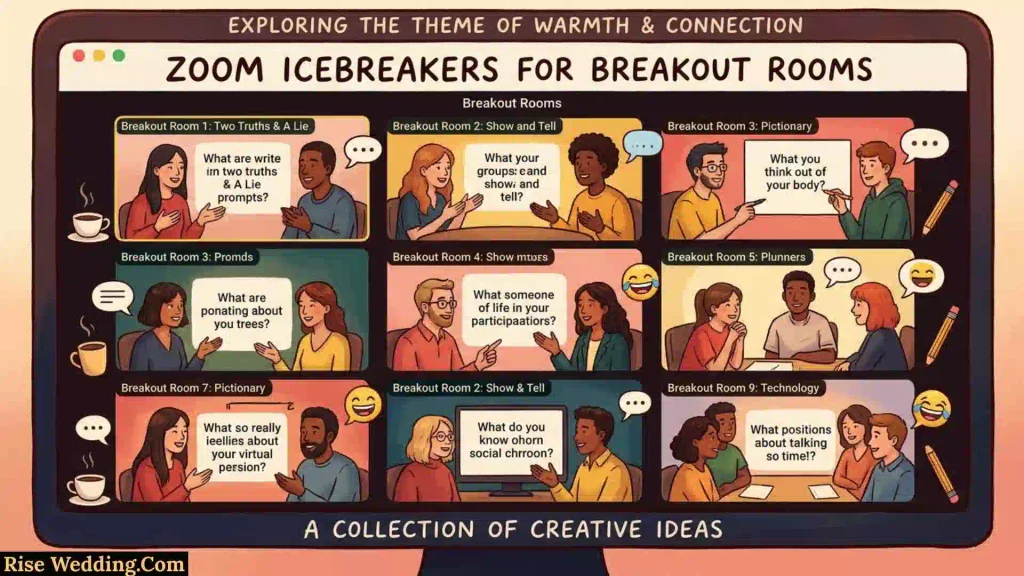
Breakout rooms are useful when you want participants to have actual conversations instead of simply choosing an answer.
Cornell’s Center for Teaching Innovation recommends giving breakout groups clear instructions and choosing questions complex enough to support discussion. It also notes that smaller groups can give participants more time to speak.
Best Breakout-Room Prompts
Try:
- What is one skill you would like to improve?
- What is something you enjoy learning about?
- What is one place you would like to visit?
- What makes an online meeting better?
- What is something interesting you learned recently?
- What are you hoping to accomplish today?
Avoid questions that can be answered with a single word.
How to Run a Breakout Icebreaker
Use this simple sequence:
- Explain the purpose.
- Give the exact question.
- Explain how participants should respond.
- Set a clear time limit.
- Send participants into small groups.
- Bring everyone back.
- Ask for one useful takeaway.
Cornell recommends communicating the task and purpose clearly, posting instructions where participants can see them, and wrapping up the discussion afterward.
How Long Should Breakout Discussions Last?
There is no universal time limit, but Cornell identifies 5–15 minutes as a common range for breakout discussions, depending on the complexity of the task. It also recommends considering group size because each participant needs enough time to speak.
For a simple icebreaker, you can stay toward the shorter end of that range.
Zoom Icebreakers for Large Groups
Large meetings create a different challenge: asking every person to speak can take too long.
The answer is simultaneous participation.
Use Chat
Give everyone a question and ask them to type their answer.
For example:
“Describe your current energy level in one word.”
You can then ask participants to send their responses at the same time.
Use Polls
Polls allow a large group to answer without taking turns.
Example:
What do you want most from today’s session?
- New ideas
- Practical advice
- Discussion
- Networking
The host can use the results to guide the next part of the meeting.
Use Breakout Rooms
If the goal is deeper interaction, divide the large group into smaller conversations.
Zoom supports managing breakout rooms and also provides options for creating rooms based on poll results when the feature is enabled for the account.
That creates an interesting format:
Poll → Group participants → Breakout discussion → Main-room takeaway
Instead of randomly assigning everyone, participants can sometimes be grouped around a shared interest or response.
Zoom Icebreakers for Small Groups
Small groups give you more freedom because people have enough time to talk.
Good options include:
- Two Truths and a Lie
- Common Ground
- Partner interviews
- Would You Rather
- Group storytelling
- Category challenges
- Interest-based questions
- Short problem-solving prompts
For three to five participants, one strong question may be enough. You do not need a complicated game simply because the group is small.
Zoom Icebreakers for Work Meetings
Workplace activities should respect people’s time and professional boundaries.
Useful questions include:
- What is one skill you would like to develop?
- What helps you have a productive workday?
- What is something useful you learned recently?
- What part of your work do you enjoy most?
- What is one goal you are working toward?
- What is one thing that could make teamwork easier?
Example for a New Team
Imagine a remote team has several new members.
Ask:
“What is one strength you bring to a team?”
Put participants into pairs for a short discussion. When they return, each person introduces their partner and mentions that strength.
The activity now does more than fill time. It gives the group information that may help future collaboration.
Example for an Established Team
If everyone already knows each other, basic introductions may feel repetitive.
Instead ask:
“What is one small change that could make our next project easier?”
Now the icebreaker can produce useful ideas for the actual meeting.
Zoom Icebreakers for Online Classes
Online classes often benefit from activities that connect directly to the lesson.
Vanderbilt University recommends icebreakers and other connection activities in online classrooms to encourage participation and reduce awkward silence.
Subject-Based Examples
English:
“What type of story keeps your attention?”
Science:
“What scientific question are you curious about?”
History:
“Which historical period would you like to understand better?”
Technology:
“What technology do you use almost every day?”
Business:
“What makes a team work well?”
Why Topic-Based Prompts Are Better
A subject-related icebreaker can perform two jobs at once:
- Start interaction.
- Prepare students for the lesson.
That makes the activity feel purposeful rather than like a random game.
For breakout discussions, Cornell recommends interesting and sufficiently complex prompts, clear instructions, and a wrap-up after the activity.
Zoom Icebreakers for New Participants
When someone joins a group for the first time, a long introduction can create unnecessary pressure.
Try:
“Tell us your name and one thing you hope to learn today.”
For larger groups, new participants can first answer in a small breakout room.
This gives them a smaller environment for conversation before they participate in front of the entire group.
How to Make Zoom Icebreakers Less Awkward
A good activity can still fail if the host introduces it poorly.
Explain Why You Are Doing It
Instead of simply saying:
“Let’s play a game.”
Try:
“We’ll spend two minutes on this question so everyone has an easy conversation starter before today’s workshop.”
The second version gives the activity a clear purpose.
Keep Instructions Short
Tell participants:
- What to do.
- What question to answer?
- How much time they have.
- What happens next?
Do not give a long explanation for a two-minute activity.
Give More Than One Way to Participate
Some people prefer speaking, while others are more comfortable typing.
Depending on the meeting, allow:
- Chat
- Reactions
- Polls
- Verbal answers
- Breakout conversations
- Whiteboard activities
This can make participation more accessible.
Do Not Make Cameras the Main Requirement
An icebreaker can work without requiring everyone to turn on video.
The goal is interaction, not camera compliance. Cornell’s online teaching guidance also addresses camera-related participation concerns and recommends considering different circumstances when planning online interaction.
Common Zoom Icebreaker Mistakes
Making the Activity Too Long
A five-minute meeting does not need a 20-minute icebreaker.
Better approach: Match the activity to the available time.
Asking Questions That Are Too Personal
Avoid questions that pressure participants to discuss private experiences.
Better approach: Start with interests, preferences, hobbies, or the meeting topic.
Sending Participants Into Empty Breakout Rooms
If people do not know what to discuss, silence is likely.
Better approach: Give the question, task, time limit, and expected result before opening the rooms.
Using Breakout Rooms for a Tiny Question
If the answer is simply “tea” or “coffee,” a breakout room adds unnecessary steps.
Better approach: Use chat, reactions, or a poll.
Ignoring Different Communication Styles
Not everyone enjoys speaking in front of a group.
Better approach: Provide more than one participation method.
Choosing an Activity That Does Not Fit the Tone
A silly game may feel uncomfortable during a serious professional session.
Better approach: Match the energy of the activity with the purpose of the meeting.
Pros and Cons of Virtual Icebreakers
Virtual icebreakers can be useful, but they are not automatically effective.
| Advantages | Potential drawbacks |
| Help start conversations | Can feel forced |
| Encourage participation | May take valuable meeting time |
| Help new participants connect | Some questions may make people uncomfortable |
| Can energize a quiet session | Technical problems can interrupt activities |
| Work with chat, polls, and breakout rooms | Large groups require more planning |
| Can introduce a meeting topic | Repeating the same game becomes predictable |
The solution is not to avoid icebreakers altogether. It is to choose activities that solve a real communication problem.
Zoom Features That Support Icebreakers
You can run many activities with basic Zoom features, but some built-in tools make structured participation easier.
Zoom Whiteboard Activities
Zoom’s current Whiteboard activity system includes templates for icebreakers, polls, quick votes, matching games, and word clouds. Hosts can customize prompts and review participant responses after the activity.
That means a host can move from:
Prompt → Participation → Results → Discussion
without manually collecting every answer.
Breakout Rooms
Breakout rooms allow a large meeting to become several smaller discussions. Zoom’s current controls include options such as assigning participants, broadcasting messages, setting automatic closing times, and creating rooms from poll results when enabled.
Polls and Quizzes
Zoom also supports polls and quizzes during meetings. Depending on account settings and configuration, poll results can even be used as part of breakout-room organization.
The important lesson is that technology should support the activity, not become the activity. A simple chat question can be better than a complicated setup if the meeting only needs a quick conversation starter.
A 5-Minute Zoom Icebreaker Planner
If you only have five minutes, use this framework.
Minute 1: Ask
Give everyone one clear question.
“What is one thing you hope to get from today’s session?”
Minute 2: Collect
Use chat, reactions, or a quick poll.
Minutes 3–4: Discuss
Mention a few interesting responses or ask two volunteers to explain theirs.
Minute 5: Connect
Use the responses to introduce the main topic.
For example:
“Several people mentioned wanting practical examples, so let’s start today’s workshop with a real-world example.”
This is more useful than running an unrelated game and then abruptly moving into the agenda.
A Reusable Icebreaker Formula
You can create your own activities with four steps:
Purpose → Prompt → Participation → Transition
Purpose
Decide what you want the activity to achieve.
Prompt
Ask one clear question.
Participation
Choose chat, poll, reaction, verbal discussion, Whiteboard, or breakout rooms.
Transition
Connect the answers to the main session.
For example:
Purpose: Help a new project team connect.
Prompt: “What strength do you bring to a team?”
Participation: Pair discussion.
Transition: Use the answers to introduce project roles.
This formula helps prevent the icebreaker from becoming disconnected filler.
What Makes an Icebreaker Helpful Instead of Generic?
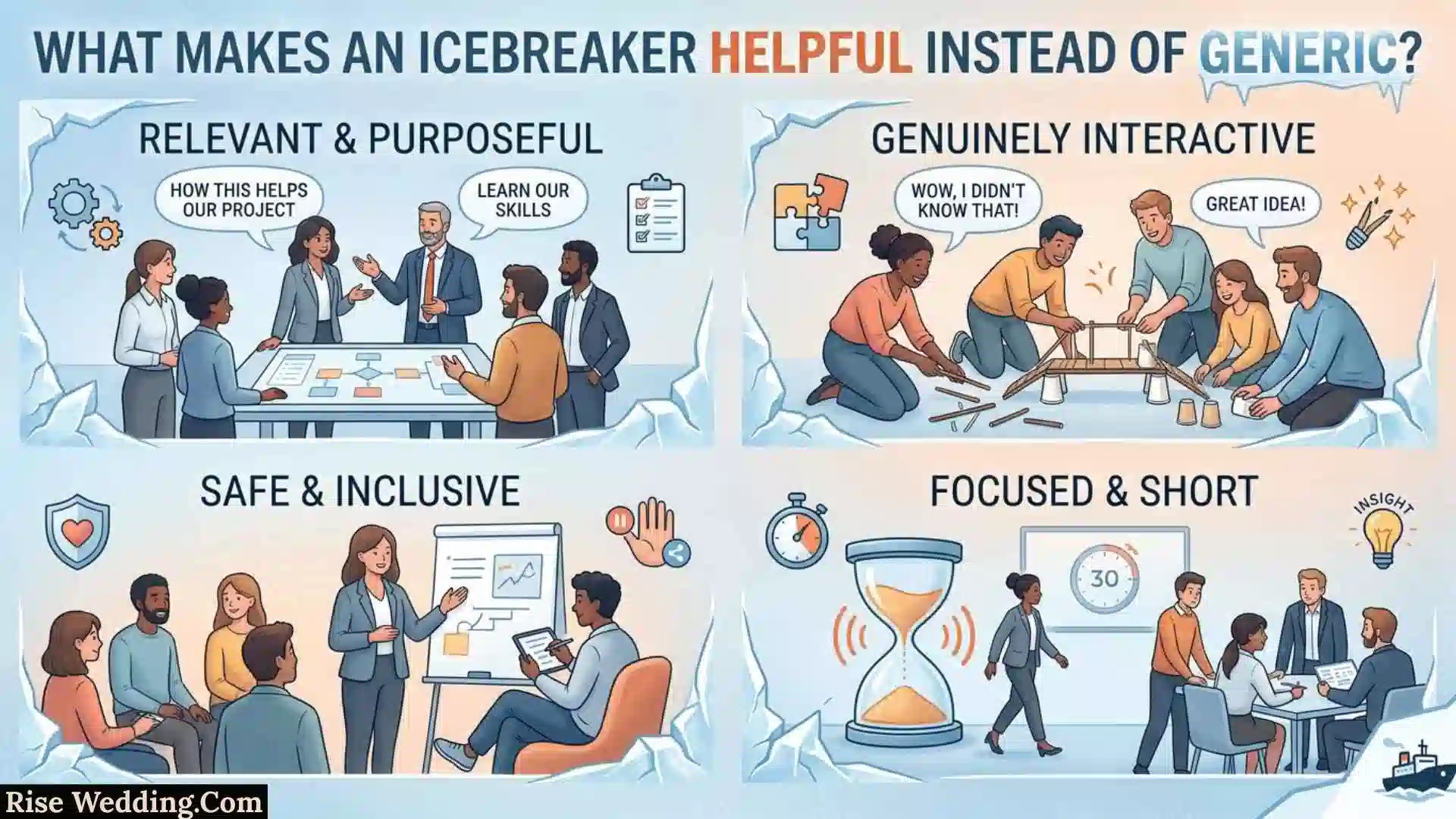
A generic list gives readers ideas. A genuinely useful resource helps them make a decision.
Before choosing an activity, ask:
- Who is participating?
- How many people are there?
- How much time do you have?
- Do participants know each other?
- What should happen after the activity?
- Does the activity require speaking, typing, or video?
- Is the activity connected to the meeting’s purpose?
If you can answer those questions, you can usually select an appropriate format quickly.
This is also where original value matters for search. Google’s guidance encourages content that provides substantial information beyond simply rewriting what other pages already say. Its AI-search guidance likewise emphasizes unique, useful, non-commodity content.
Frequently Asked Questions About Zoom Icebreakers
What are the best Zoom icebreakers?
The best choice depends on the group. For a short meeting, try a chat question or poll. For a new group, use introductions or common-ground questions. For deeper interaction, use breakout rooms.
What is a quick Zoom icebreaker?
A one-word check-in, reaction prompt, chat question, or quick poll can work when you only have a few minutes.
What are good Zoom icebreakers for work?
Professional questions about skills, goals, hobbies, recent learning, or teamwork can work well. Avoid questions that pressure coworkers to share private information.
What are good Zoom icebreakers for students?
Course-related questions, simple introductions, category challenges, and small-group discussions are useful options. Activities connected to the lesson can also act as a warm-up for the topic.
How do you use breakout rooms for an icebreaker?
Explain the question and expected task before opening the rooms. Give participants a time limit and tell them what they should bring back to the main meeting. Cornell recommends clear instructions, purposeful questions, and a wrap-up after breakout discussions.
How long should a Zoom icebreaker last?
There is no single correct length. A quick question may take one or two minutes, while a breakout discussion may take longer. The activity should be long enough to accomplish its purpose without taking over the meeting.
What is a good Zoom icebreaker for a large group?
Use a poll, chat prompt, reaction activity, or another format that allows many people to participate simultaneously. For deeper conversations, use breakout rooms.
Do Zoom icebreakers require cameras?
No. Many activities can work through chat, reactions, polls, Whiteboard, or verbal participation without making cameras the focus.
How can I make a Zoom meeting less awkward?
Start with a simple, low-pressure interaction instead of leaving participants in silence. Ask an easy question, use a poll, or give everyone a short chat prompt.
What should I avoid in a virtual icebreaker?
Avoid complicated instructions, overly personal questions, unnecessary camera pressure, activities that do not fit the audience, and games that take longer than the meeting can comfortably support.
Can I reuse the same icebreaker?
Yes, but vary the format and question. A team may become bored if the exact same activity appears every week. Rotate between questions, polls, reactions, breakout discussions, and topic-based prompts.
Can a Zoom icebreaker connect to the meeting topic?
Absolutely. In fact, this is often one of the most useful approaches. A question related to the day’s topic can introduce the subject while also encouraging participation.
Final Takeaway
The most effective Zoom icebreakers are not necessarily the funniest or most complicated. They are the activities that fit the people in the meeting, take an appropriate amount of time, and make the next part of the session easier.
Use a chat prompt when you need speed, a poll when you want everyone to respond, a game when the group needs energy, and a breakout discussion when participants need meaningful conversation. Zoom’s current tools can support these formats through Whiteboard activities, polls, quizzes, and breakout-room features.
Most importantly, give the activity a reason to exist. When the icebreaker connects naturally to the meeting, class, or workshop, it stops feeling like filler and becomes part of a better virtual experience.

Oliver Harrington is a British author and language researcher known for his engaging writing on the meanings of words, communication, and personal growth. Born in Oxford, England, he developed a passion for literature and etymology at an early age, later studying English Literature before pursuing a full-time writing career. His work combines historical research with practical insights, making complex language concepts easy for readers to understand. Over the years, he has contributed to educational publications, spoken at literary events, and inspired thousands of readers with his thoughtful approach to language. When he is not writing, Oliver enjoys exploring historic libraries, travelling across the British countryside, and researching the origins of English expressions.
Books:
- The Language of Meaning
- Words That Shaped the World
 Edward Whitmore
[…] Also Check This Post: 71+ Zoom Icebreakers: Quick Games for Work and School […]